
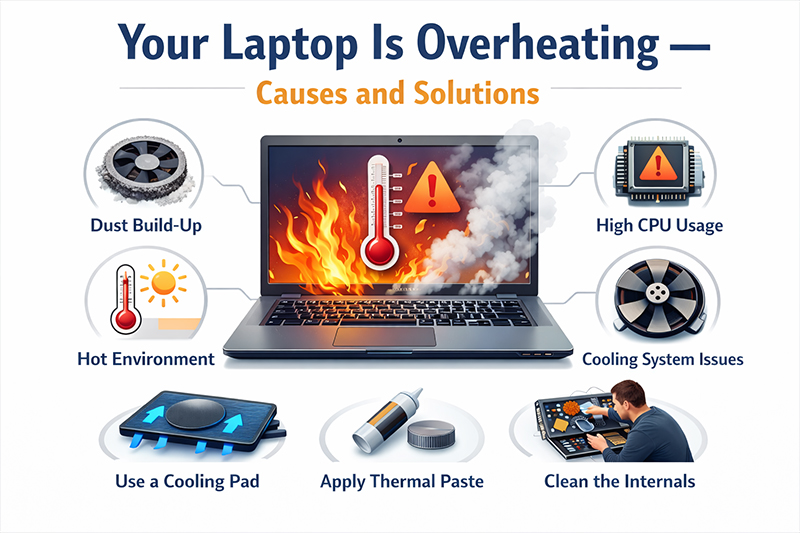
Laptop overheating is one of the most common problems faced by users in Ghana, especially due to the warm climate and long hours spent on laptops for work, school, and entertainment. When a laptop overheats, it can slow down performance, shut down unexpectedly, and cause long-term damage to internal components.
If you are experiencing heat problems with your laptop, this guide explains the main causes of laptop overheating and the best solutions to keep your device cool and running efficiently.
Whether you are a student, business owner, or remote worker, learning how to manage laptop heat is essential for productivity and device longevity.
Why Laptop Overheating Is a Serious Problem
Heat is the biggest enemy of electronics. When your laptop overheats, it forces the processor to slow down, a process known as thermal throttling. This results in poor performance, freezing, and unexpected shutdowns. Over time, continuous overheating can damage the battery, motherboard, and processor.
In Ghana’s climate, laptop users must take extra care to manage temperature properly to avoid expensive repairs or early device replacement.
If your laptop is already old or struggling with performance, you may consider upgrading to a newer model from the Laptop Collection on DEUS.com.gh:
https://deus.com.gh/shop/computers-accessories/laptops.html
Common Causes of Laptop Overheating
Several factors can cause your laptop to heat up excessively:
- Blocked air vents: Dust and dirt prevent hot air from escaping
- Using laptops on soft surfaces: Beds and couches block airflow
- Heavy software usage: Video editing, gaming, and multitasking generate heat
- Faulty cooling fan: Old fans become less effective
- High room temperature: Warm environments speed up overheating
- Outdated software and drivers: Inefficient processing increases heat output
These issues are common among users who run demanding programs or work for long hours without breaks.
Signs That Your Laptop Is Overheating
You may notice the following symptoms:
- Laptop feels very hot
- Loud or constantly running fan
- Sudden shutdowns or restarts
- Slow performance
- Temperature warning messages
When these signs appear, immediate action is needed to prevent hardware damage.
Practical Solutions to Laptop Overheating
Here are effective ways to fix and prevent overheating problems:
1. Improve Airflow Around Your Laptop
Always place your laptop on a hard, flat surface such as a desk or table. This allows proper ventilation through the cooling vents.
2. Clean Dust from Vents and Fans
Dust buildup is one of the top causes of laptop overheating. Regular cleaning with compressed air or professional servicing can greatly improve cooling.
3. Reduce Heavy Workload
Avoid running too many applications at once. Close unnecessary browser tabs and background programs, especially when using heavy software.
4. Update Your Software
Keeping your operating system and drivers updated improves system efficiency and heat management.
5. Use a Laptop Cooling Pad
Cooling pads help improve airflow and reduce temperature significantly. They are ideal for students, gamers, and office users who work for long hours.
Explore cooling accessories here:
https://deus.com.gh/shop/computers-accessories/computer-accessories.html
6. Use Original Chargers and Batteries
Fake or damaged chargers can cause overheating and battery problems. Always use genuine accessories from trusted sellers.
Find original laptop chargers and accessories on DEUS.com.gh:
https://deus.com.gh/shop/computers-accessories.html
When Should You Upgrade Your Laptop?
If your laptop continues to overheat even after cleaning and maintenance, it may be time for an upgrade. Older laptops are not designed to handle modern software demands and often lack efficient cooling systems.
Upgrading to a modern laptop with energy-efficient processors and improved cooling can boost performance and reduce overheating issues.
Browse the latest laptops available on DEUS.com.gh:
https://deus.com.gh/shop/computers-accessories/laptops.html
Protect Your Laptop for Long-Term Use
Proper laptop care is an investment in your productivity. Simple habits such as good airflow, regular cleaning, and controlled usage can help prevent overheating. In Ghana’s hot climate, using cooling accessories and avoiding prolonged heavy tasks is especially important.
At DEUS.com.gh, you can shop for genuine laptops, cooling pads, chargers, and accessories designed to keep your laptop running safely and efficiently.
In Conclusion
Laptop overheating is a common but preventable problem. By understanding the causes and applying the right solutions, you can protect your device, avoid costly repairs, and enjoy better performance every day. A cooler laptop is a healthier laptop — and a smarter investment for the future.
For quality laptops and accessories you can trust, visit www.deus.com.gh and shop with confidence.
